01
Process discovery and AI automation consulting
We map how work really flows, score each process for value and risk and recommend what to automate first, and with what.
FIG 01 · AI Automation
Workflows in n8n, Zapier, Make or custom code that move data between your apps, with AI steps that read, classify and draft, and a person approving anything risky.
See how it works
FIG 02 · Quick answer
Business process automation services replace repetitive manual work, such as copying data between apps, routing leads or processing invoices, with reliable workflows. Elgrith maps your process, then builds automations in n8n, Zapier, Make or custom code, adds AI steps that read, classify and draft, and keeps a person in the loop for risky actions.
FIG 03 · Why it matters
From Stanford HAI’s AI Index 2025 and the ONS survey of AI in UK businesses (July 2026).
01
78%
78% of organizations reported using AI in 2024, up from 55% the year before.
Source: Stanford HAI, AI Index 2025(opens in a new tab)02
35%
Among UK businesses with 10 or more employees, AI use “has increased from around 12% to around 35% since late 2023”, and reaches 49% of those with 250 or more employees.
Source: ONS, AI in UK businesses, 2023 to 2026(opens in a new tab)03
10%
The ONS found only 10% of UK businesses report using AI extensively. Wiring AI into real workflows is where the gap is.
Source: ONS, AI in UK businesses, 2023 to 2026(opens in a new tab)FIG 04 · Definition
Business process automation (BPA) uses software to run a multi-step business process, such as onboarding a client or approving an invoice, with little manual work. RPA, document processing and AI agents are tools for parts of it.
| What it is | Example | |
|---|---|---|
| Business process automation (BPA) | Software that runs a whole process across your apps | Form → CRM record → contract → invoice → welcome email |
| Robotic process automation (RPA) | Bots that click through screens like a person | Copying data out of an old desktop system with no API |
| Intelligent document processing (IDP) | AI that reads documents and extracts fields | Supplier, totals and due date pulled from a PDF invoice |
| AI agent | Software that decides its next step and uses tools | Research a lead, update the CRM and draft an email for approval |
Most good automations combine them: fixed workflow steps for the predictable parts, AI steps where a document or message has to be read.
Need a true agent? See AI agent developmentFIG 05 · What you get
Discovery, build and upkeep, using the tool that fits each process rather than the one we happen to resell.

01
02
03
04
05
06
07
08
Deliverables
12
FIG 06 · Use cases
Each one starts with a trigger, uses the tools you already have and ends with an output a person can check.
FIG 07 · Flagship build
We designed and engineered Kenerate AI, an all-in-one AI image and video studio. Its agent and its MCP and CLI access use the same connective patterns we build into automations.
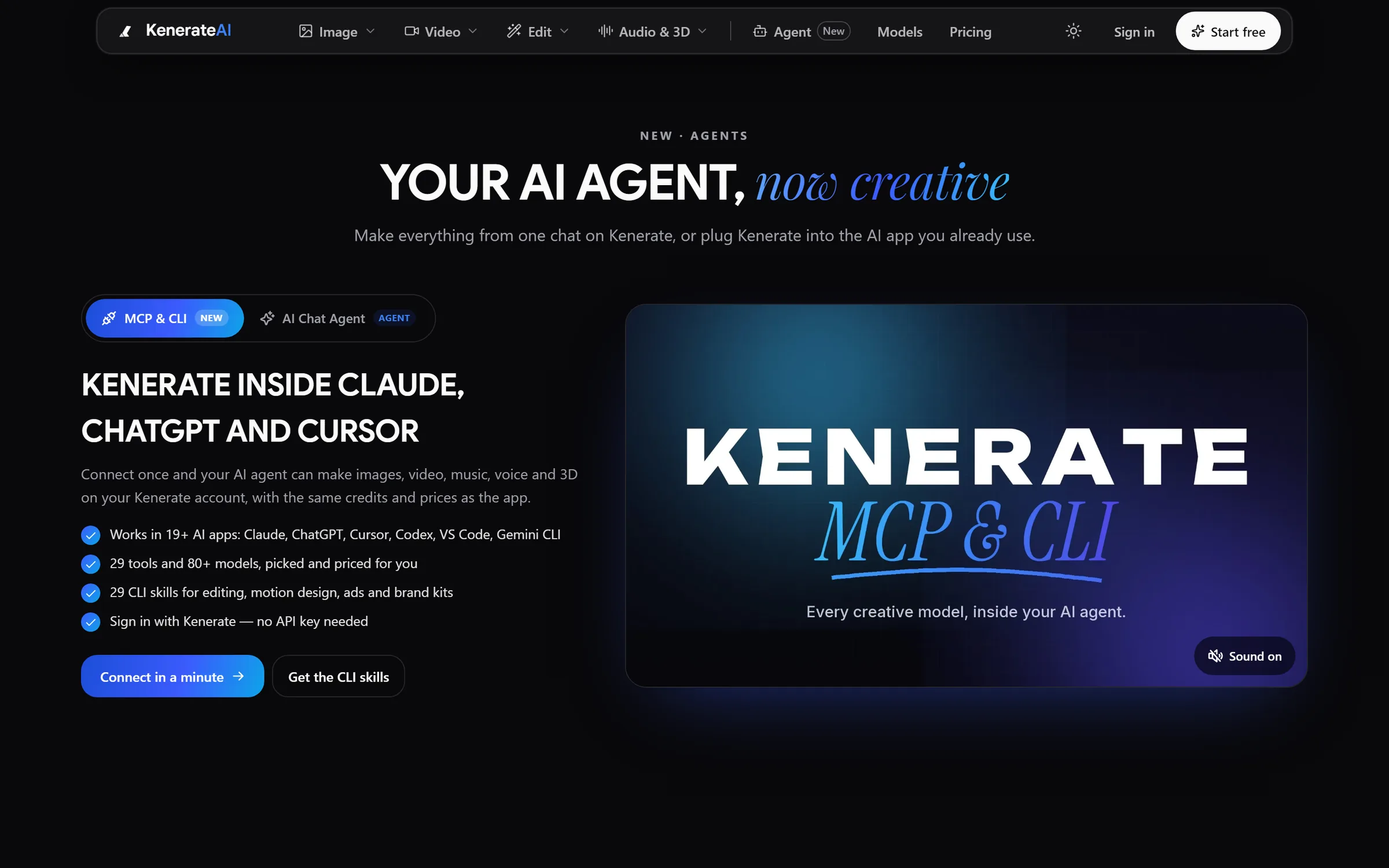
Agent: Kenerate inside Claude, ChatGPT and CursorDesigned and engineered by Elgrith
FIG 08 · Prioritize
We score every candidate against the same tests. The best first automation passes all of them.
05principles
It happens many times a week, so small savings add up.
Most steps follow clear rules, with AI only where something has to be read.
A mistake is easy to spot and undo, or a person approves the risky step.
You can count runs, time saved and errors before and after.
Someone on your team owns the process and the automation after launch.
FIG 09 · Security
Automations touch customer data, money and inboxes. These controls are part of every build.
05principles
n8n can run in your own cloud, so sensitive data never passes through a third-party automation service.
Each connection gets only the scopes it needs, stored in a secrets manager, in accounts you own.
Data mapping, minimization and processor checks for every app in the chain.
Every run, input and decision is logged, so you can see what happened and why.
OpenAI says data sent to its API “is not used to train or improve OpenAI models” by default. We check each provider’s terms for your case.
FIG 10 · USA and UK
London and New York client partners, with engineering in New Delhi. One team for discovery, build and upkeep.
05principles
FIG 11 · Measurement
Every automation ships with a small dashboard, so you can see it working, not just trust that it is.
| Metric | What it tells you | How we measure it |
|---|---|---|
| Runs and success rate | How often it runs and finishes cleanly | Run logs in n8n, Zapier, Make or your code |
| Exceptions to people | How often it hands work back | Exception queue counts, reviewed with you |
| Time saved | Manual minutes no longer spent | Estimated with your team from before-and-after timings |
| Error and retry rate | How fragile it is | Error alerts and retry logs |
| Cost per run | Tool, model and API spend | Task counts and token usage per run |
| Accuracy of AI steps | Whether extraction and classification are right | Spot checks against a labelled sample |
Targets are agreed with you during discovery. We don’t quote time-saved figures before we have mapped your process.
FIG 12 · Process · 6 steps
A fixed written quote after a process review. Nothing runs on live data until your team has checked it on real examples.
We walk through the process with the people who do it: triggers, apps, data, exceptions and risks. You get a written scope and a fixed quote.
Candidates scored for volume, rules, risk and measurability. We start with the one that pays back first.
The workflow in n8n, Zapier, Make or code, in accounts you own, with AI steps where something has to be read.
Past examples run through the automation and compared with what your team actually did.
Approval steps on for anything that sends, pays or deletes, until you are happy to relax them.
Alerts, run logs and a scorecard, plus fixes when a connected app changes.
FIG 13 · What you get
Written into your fixed quote, so you know exactly what you are paying for before work starts.
12items
FIG 14 · Tech & tools
Proven, well-supported tools, chosen for your project and set up in accounts your business owns.
FIG 15 · Who it’s for
Start with one process, measured, then build from there.
3 audiences
Small teams
Simple, reliable workflows between your forms, CRM, inbox and accounting, in tools your team can understand.
Operations and finance
Invoices, onboarding, reporting and approvals automated, with people approving the steps that matter.
SaaS and product
Workflows and AI steps built into your own software, or exposed to your customers’ tools through APIs and MCP.
FIG 16 · Working with us from the USA and UK
Every project gets a point of contact in New York or London and an engineering team in New Delhi. Here is how today’s working days line up, live.
New York
North America
--:--ET
London
UK & Europe
--:--UK
Fixed-scope project
A written scope, one fixed price and a dated plan. Suits websites, apps and MVPs.
Dedicated team
Designers and engineers on your roadmap every month, billed monthly.
White label
For US and UK agencies: our work, your brand, unbranded deliverables.
Calls on ET or UK hours
FIG 17 · Decide
Most competitors blur these together. They suit different jobs, carry different risks and need different upkeep.
| Workflow automation | AI-assisted workflow | AI agent | RPA | |
|---|---|---|---|---|
| Best for | Fixed steps between apps | Fixed steps plus reading messy input | Tasks that need judgment and tool choice | Old screens with no API |
| Risk | Low: it does what you wrote | Low to medium: AI output is checked | Medium to high: needs guardrails and approvals | Medium: breaks when screens change |
| Upkeep | Low | Low to medium: prompts and checks | Higher: evals and monitoring | High |
| Example | Form → CRM → Slack alert | Invoice email → AI extracts fields → draft bill | Research a lead, update the CRM, draft an email | Copy data out of a legacy desktop app |
FIG 18 · Tools
We use all three, plus custom code. The choice depends on your data, your run volume and who will maintain it.
| n8n | Zapier | Make | Custom code | |
|---|---|---|---|---|
| Hosting | Self-hosted or n8n cloud | Zapier’s cloud | Make’s cloud | Your cloud |
| Best for | Sensitive data, complex logic, high volume | Quick wins across many SaaS apps | Visual multi-step scenarios | Unusual systems and in-product automation |
| Who maintains it | A technical owner | Anyone on your team | A confident power user | Developers |
| Watch for | You run and update the server if self-hosted | Task-based costs at high volume | Operation-based costs at high volume | Build time |
FIG 19 · Compare
| AI automation agency (Elgrith) | Do it yourself | In-house automation hire | |
|---|---|---|---|
| Best for | Processes across several apps with AI steps | One or two simple zaps | A long programme of automation work |
| Tool choice | n8n, Zapier, Make or code, per process | Whatever you know | Depends on the hire |
| Safety | Approval steps, logs and alerts built in | Often none | Depends on the hire |
| Upkeep | Monitoring and fixes, agreed in writing | Whoever notices it broke | Yours |
| Ownership | Workflows in your accounts | Yours | Yours |
FAQ
Straight answers about AI Automation with Elgrith.
Business process automation runs a whole process across your apps, usually through their APIs: a form creates a CRM record, which triggers a contract, an invoice and a welcome email. RPA is one technique inside that, where a bot clicks through screens like a person. We use RPA only when a system has no API.
FIG 20 · Related
Free 30-minute call
Tell us the task that eats your team’s week. After a free call and a process review you get a written scope and a fixed quote.
Pick a day. You'll choose a time in your own time zone on the next step.