01
Custom ERP software development
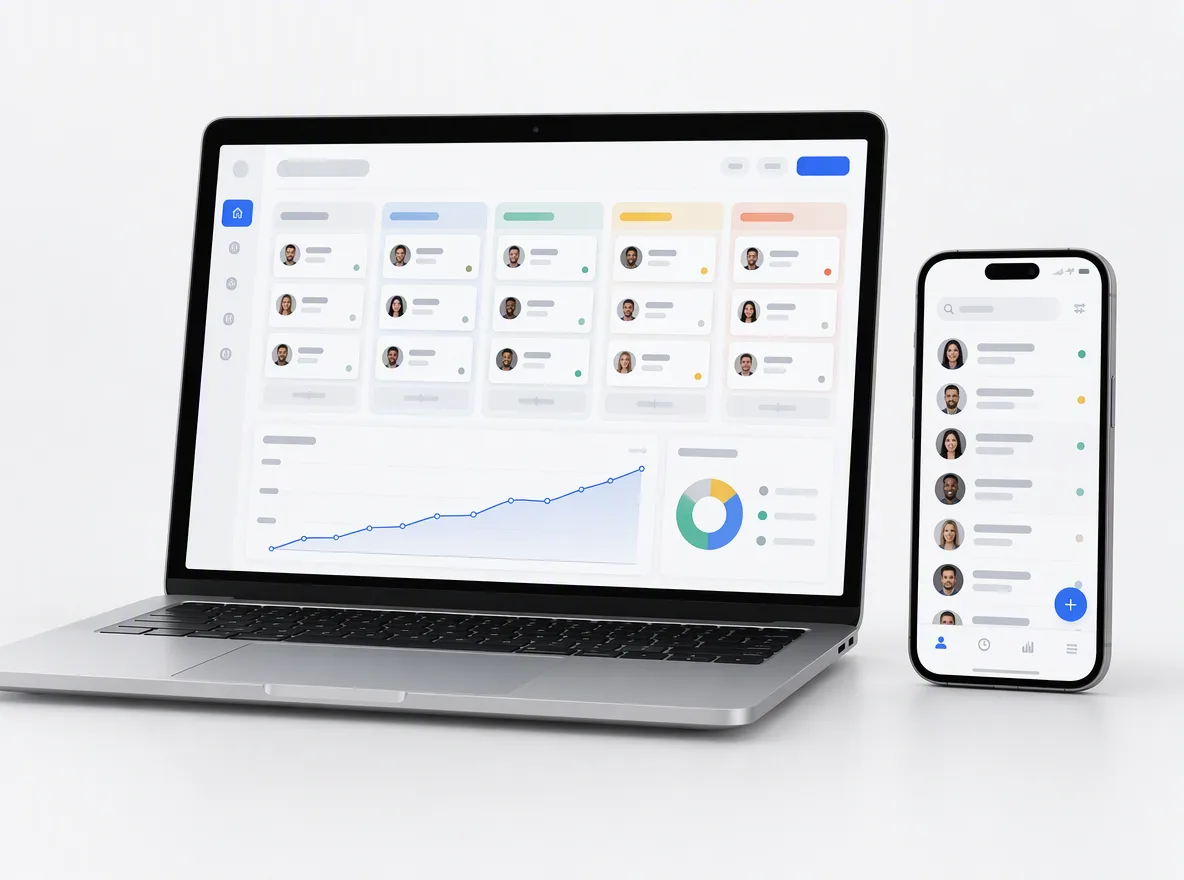
Modules for inventory, production planning, field operations or approvals, built as web apps on your data and connected to the rest of your stack.
FIG 01 · ERP Development
Custom ERP modules where off-the-shelf software doesn’t fit, and integrations that connect NetSuite, Business Central, SAP Business One or Odoo to your store, CRM, payments and accounting, so every order is entered once.
See how it works
FIG 02 · Quick answer
An ERP development company builds or extends the system that runs your stock, orders, finance and operations. Elgrith builds custom ERP modules where off-the-shelf software doesn’t fit, and integrates ERPs like NetSuite, Business Central or Odoo with your store, CRM, payments and accounting, so data flows once without manual re-entry.
FIG 03 · Why it matters
From Panorama Consulting Group’s 2026 ERP Report (press release, 4 Mar 2026) and Microsoft’s published Business Central pricing.
01
1 in 4+
Panorama’s 2026 ERP Report found that “more than a quarter of organizations exceeded their project budgets”. A written scope and a phased plan are how we keep yours honest.
Source: Panorama Consulting Group, The 2026 ERP Report (4 Mar 2026)(opens in a new tab)02
55.3%
In the same report, business intelligence was the most deployed digital initiative, at 55.3% of organizations. ERP data pays off once people can see it, so dashboards are part of our scope.
Source: Panorama Consulting Group, The 2026 ERP Report (4 Mar 2026)(opens in a new tab)03
$80
Microsoft lists Business Central Essentials at $80.00 and Premium at $110.00 per user per month, paid yearly. License fees are one line of the cost; integration, data migration and training are the rest.
Source: Microsoft, Dynamics 365 Business Central pricing(opens in a new tab)FIG 04 · Decide
Most growing businesses don’t need a whole custom ERP. They need the right ERP, connected properly, plus a custom module or two where their process is genuinely different.
| Buy an ERP as is | Buy and integrate | Build custom modules | Use an iPaaS | |
|---|---|---|---|---|
| What it means | NetSuite, Business Central, SAP Business One or Odoo, configured only | An off-the-shelf ERP connected to your store, CRM, payments and books | Your own modules for the processes no package handles well | A middleware platform such as Celigo, Boomi or MuleSoft runs the syncs |
| Best for | Standard processes and a small app stack | Most growing SMBs | Unusual inventory, production or field operations | Many standard connectors and an in-house admin |
| Watch for | Manual re-entry between systems | Sync design and error handling | You maintain what you build | Subscription cost and connector limits |
| Who maintains it | The vendor and your admin | Vendor, plus whoever owns the integrations | Your team or ours | The iPaaS vendor and your admin |
We often combine them: an off-the-shelf ERP, a few custom integrations, and a custom module only where it earns its keep.
What does ERP cost? Read our 2026 ERP cost guideFIG 05 · What you get
Custom ERP software development and ERP integration services for small and mid-sized businesses, from process mapping to the support after go-live.
01
02
03
04
05
06
07
08
Deliverables
12
FIG 06 · Example flow
One order, entered once. Each step syncs in a set direction, with retries and an alert if something fails, so nobody re-keys data or finds the gap at month end.
FIG 07 · Flagship build
Kenerate AI is our flagship build, an all-in-one AI studio. It is not an ERP; it shows the integration engineering behind our ERP work: many providers behind one account and one balance.
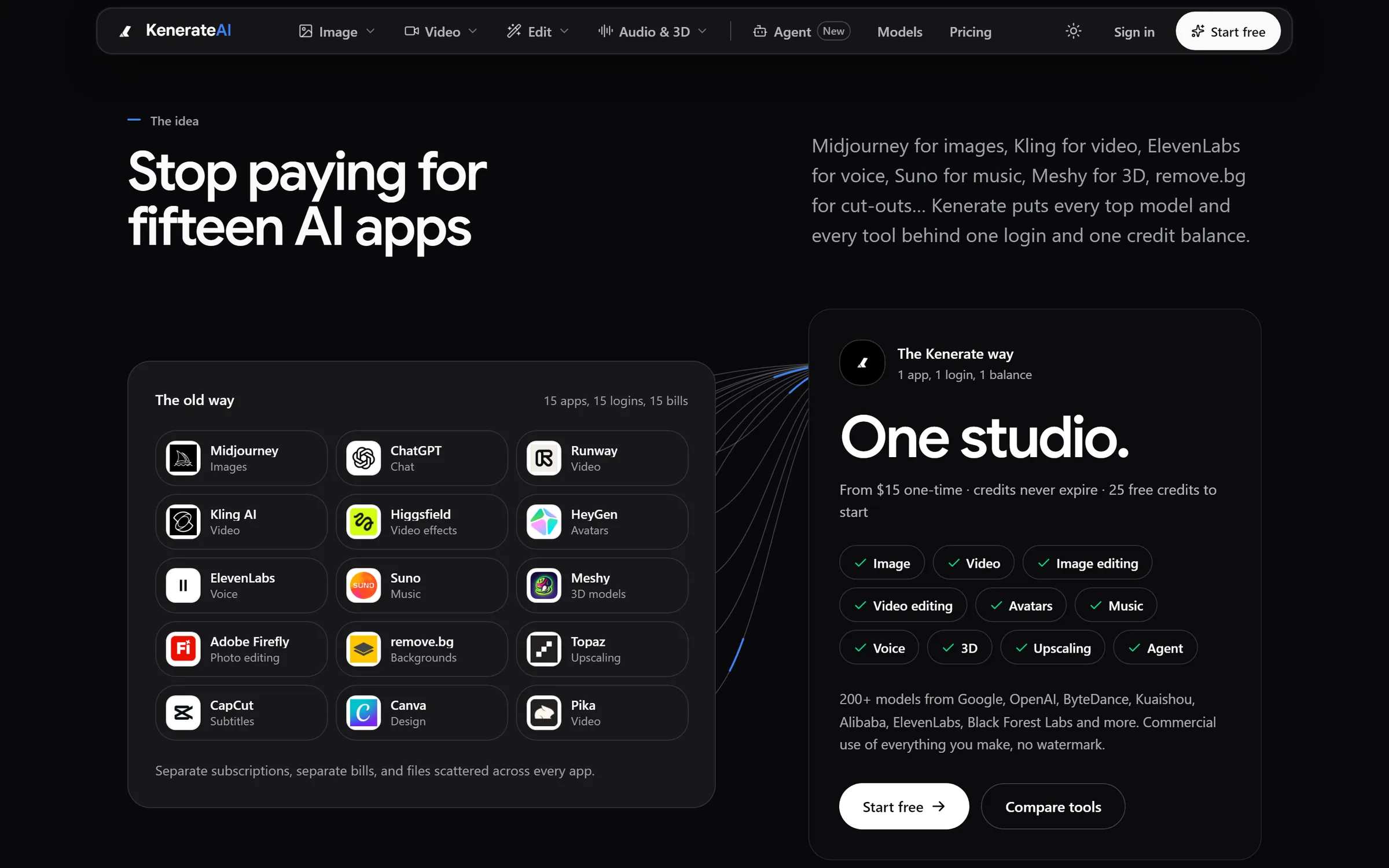
The idea: 15 apps, 15 logins, 15 bills become one studioDesigned and engineered by Elgrith
FIG 08 · Integration
Connecting two APIs is the easy part. These are what we design for in every ERP integration, before the first sync runs.
06principles
For every record and field: which system owns it, which way it flows and what happens on a conflict.
Webhooks and jobs that can run twice without creating two orders, and retry safely when an API is down.
Failed records go to a queue your team can see and replay, with an alert, instead of vanishing.
Daily checks that orders, payments and stock match across systems, so gaps show up the same day.
Syncs designed around each ERP’s API limits, with batching for large catalogs and backfills.
A log of every record synced, when and by which job, for finance and for debugging.
FIG 09 · Connected
ERP work rarely stops at the ERP. These are the services we most often build alongside it.
06principles
Stripe, PayPal, Square or Razorpay payments and payouts posted to the right orders.
Payment gateway integrationStores that read live stock and prices from the ERP and write orders back.
Ecommerce developmentCustom CRMs, or Salesforce and HubSpot, sharing customers and orders with the ERP.
CRM developmentPortals where customers reorder and suppliers confirm, backed by ERP data.
Web portal developmentFIG 10 · Process · 7 steps
A fixed written quote after discovery, a phased plan, and support after go-live while your team settles in.
Your systems, data and pain points, and a build, buy or integrate recommendation. You get a written scope and a fixed quote.
Order-to-cash, procure-to-pay and stock flows mapped step by step, with the source of truth for every record.
Custom modules and integrations built in sprints, with weekly demos on a test environment.
Data cleaned, mapped and loaded in trial runs, with counts and balances reconciled each time.
Your team runs real scenarios end to end, and we fix what they find before go-live.
A planned cutover with a final migration, opening balances checked and a rollback plan ready.
Close support after go-live while the first month-end closes and your team settles in, then ongoing support if you want it.
FIG 11 · What you get
Written into your fixed quote, so you know exactly what you are paying for before work starts.
12items
FIG 12 · Tech & tools
Proven, well-supported tools, chosen for your project and set up in accounts your business owns.
FIG 13 · Who it’s for
Mid-market ERPs and the systems around them, not decade-long enterprise rollouts.
3 audiences
E-commerce
Online stores, marketplaces and wholesale orders flowing into one ERP, with stock and prices synced back out.
Manufacturing
Custom modules for bills of materials, production planning and shop-floor data where your ERP’s standard MRP doesn’t fit.
UK businesses
UK projects run through our London client partner, with engineering in New Delhi. We often connect ERPs to Xero or Sage, and design data handling around UK GDPR.
FIG 14 · Working with us from the USA and UK
Every project gets a point of contact in New York or London and an engineering team in New Delhi. Here is how today’s working days line up, live.
New York
North America
--:--ET
London
UK & Europe
--:--UK
Fixed-scope project
A written scope, one fixed price and a dated plan. Suits websites, apps and MVPs.
Dedicated team
Designers and engineers on your roadmap every month, billed monthly.
White label
For US and UK agencies: our work, your brand, unbranded deliverables.
Calls on ET or UK hours
FIG 15 · Cost
We don’t publish prices. These are the things that move the cost of any ERP project, ours or anyone else’s.
| Cost driver | Why it moves the price | How to keep it down |
|---|---|---|
| Number of integrations | Each system adds mapping, testing and error handling | Start with the flows that cost you the most manual work |
| Customization vs configuration | Custom code has to be built and maintained | Configure first, customize only where the process is truly different |
| Data migration | Messy data takes longest to clean and reconcile | Archive what you don’t need before you move |
| Users and licenses | ERP vendors charge per user, paid to them | License the roles you need; give others portals or dashboards |
| Process change and training | New systems change how people work | Map processes early and train key users first |
| Testing and hypercare | Month-end and edge cases surface late | Test with real scenarios before go-live |
Panorama’s 2026 ERP Report found that more than a quarter of organizations exceeded their ERP project budgets. After discovery you get a written scope and a fixed quote from us; ERP licenses are paid to the vendor.
Read our 2026 ERP implementation cost guideFIG 16 · Definitions
Three terms that get used interchangeably, and shouldn’t be.
| ERP implementation | ERP integration | Custom ERP development | |
|---|---|---|---|
| What it is | Setting up an off-the-shelf ERP for your business | Connecting your ERP to other systems | Building ERP modules or a whole ERP as software |
| Main work | Configuration, data migration and training | APIs, syncs, error handling and reconciliation | Design, engineering and testing |
| Typical result | The ERP runs your core processes | Data flows between systems without re-entry | Software that fits a process no package handles |
| What we do | Data migration and the integrations around it | Our core ERP service | Modules where off-the-shelf doesn’t fit |
FIG 17 · Compare
| Custom integration service | iPaaS (Celigo, Boomi, MuleSoft) | Point-to-point scripts | |
|---|---|---|---|
| Fits | Custom logic, unusual flows, full control | Standard flows with ready-made connectors | One simple sync |
| Running cost | Hosting, which you own | A platform subscription | Low, until it breaks |
| Error handling | Designed for your process | Built in, within the platform’s limits | Often missing |
| Who can change it | Developers, with docs and code you own | Admins trained on the platform | Whoever wrote it |
| Best for | Order-to-cash with custom rules | Many standard connectors and an in-house admin | Prototypes and one-off imports |
FAQ
Straight answers about ERP Development with Elgrith.
It depends on the number of modules and integrations, how much is custom code versus configuration, the volume and state of the data to migrate, the number of users, and the testing and support you need. We don’t publish prices: after a free discovery call you get a written scope and a fixed quote. Our 2026 ERP implementation cost guide explains the market ranges.
FIG 18 · Related
Free 30-minute call
Tell us which systems you run today. After a free discovery call you get a written scope, a build, buy or integrate recommendation and a fixed quote.
Pick a day. You'll choose a time in your own time zone on the next step.