01
Content modelling
Content types, fields, references and validation designed around how your team writes and reuses content, not around page templates.
FIG 01 · Headless CMS Development
Content models in Sanity, Contentful, Strapi or headless WordPress, a server-rendered Next.js front end, live preview for editors, and migrations that carry your rankings across. Platform-neutral advice, and honest about when headless is overkill.
See how it works
FIG 02 · Quick answer
Headless CMS development separates where content is edited from where it is shown, so one CMS can feed a website, app and other channels through APIs. Elgrith models your content in Sanity, Contentful, Strapi or headless WordPress, builds a server-rendered Next.js front end, and migrates content without losing rankings.
FIG 03 · Why it matters
From Google Search Central, the Sanity docs and W3Techs, read on 23 Oct 2026.
01
SSR
Google’s JavaScript SEO guide: “server-side or pre-rendering is still a great idea because it makes your website faster for users and crawlers”. Every headless front end we build renders on the server.
Source: Google Search Central, JavaScript SEO basics(opens in a new tab)02
Structured
Sanity’s docs: “Sanity’s Content Lake stores your content as structured data”. That is the real benefit of headless: the same content reused across pages, apps and channels.
Source: Sanity docs, Content Lake(opens in a new tab)03
<0.1%
W3Techs puts Sanity and Strapi each in its “less than 0.1%” group of sites. Headless is a niche by site count, so choose it because it fits your team and channels, not because it is new.
Source: W3Techs, CMS usage overview (22 Oct 2026)(opens in a new tab)FIG 04 · Define
A headless CMS stores and manages content but has no built-in front end. Your website, app or other channel fetches the content through an API and decides how to show it. A traditional CMS such as WordPress with a theme does both jobs in one system.
| Traditional CMS (e.g. WordPress with a theme) | Headless CMS (e.g. Sanity, Contentful, Strapi) | |
|---|---|---|
| Front end | Built in: themes and templates | Separate: usually Next.js or another framework |
| Channels | Mainly one website | Website, apps and other channels from one source |
| Content | Pages and posts | Structured content types, reused anywhere |
| Editor preview | Built in | Set up as part of the build |
| Developer needs | Lower: plugins and themes | Higher: a front-end team owns the site |
| Best for | Content sites with a small team | Multi-channel content, custom design, larger teams |
FIG 05 · What you get
Custom headless CMS development for marketing sites, content-heavy products and multi-channel brands, from the content model to the migration.

01
02
03
04
05
06
07
08
Deliverables
11
FIG 06 · Flagship build
Kenerate AI is our flagship build, an all-in-one AI studio. It is not a headless CMS project; it shows the product, front-end and API engineering we bring to every build, with 500+ guides published for its users.
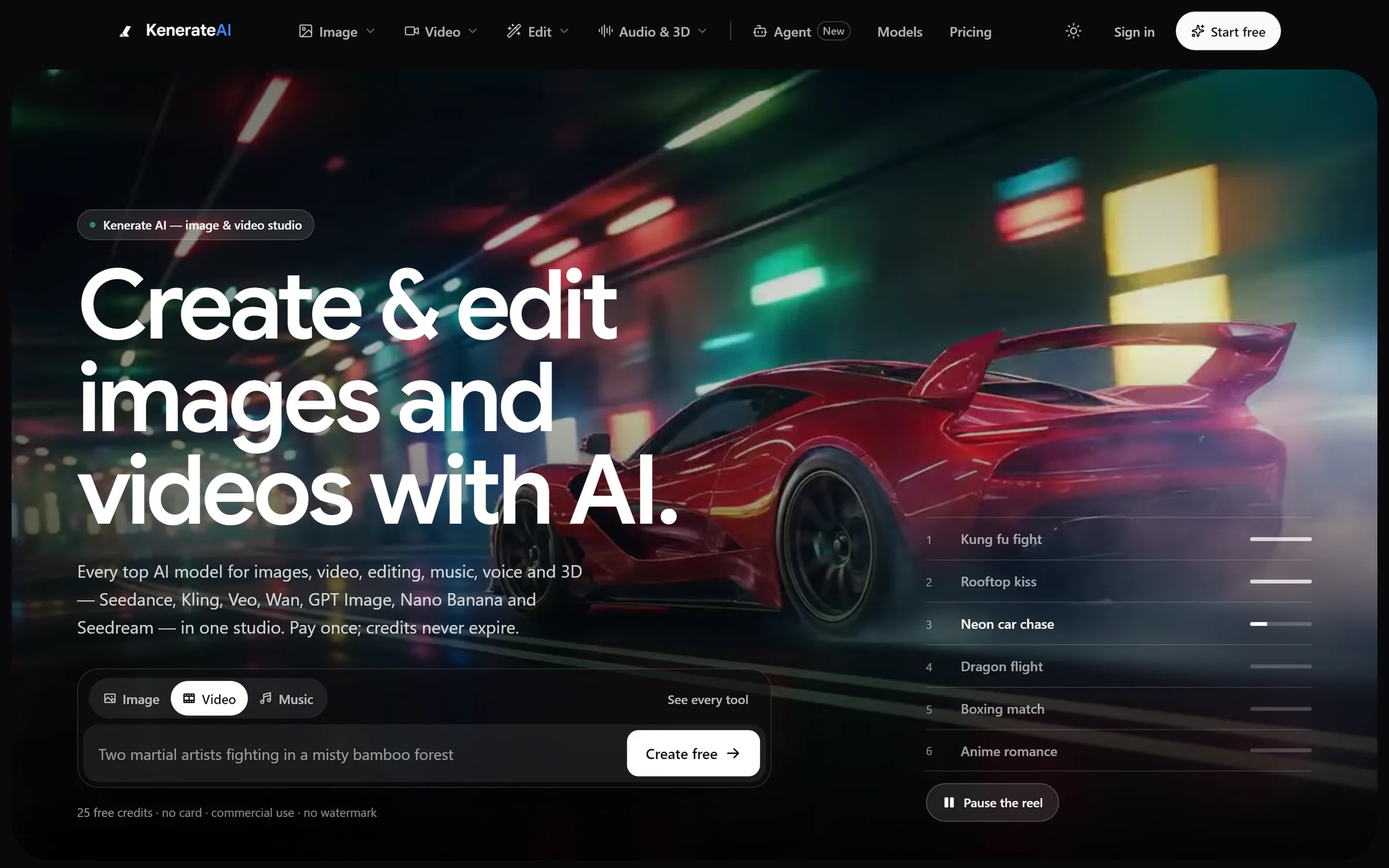
Home: one prompt box for image, video and musicDesigned and engineered by Elgrith
FIG 07 · Platforms
We are platform-neutral, with no partner badges to protect. These are the platforms we recommend most, and when.
06principles
A Sanity agency build: structured content in the Content Lake, queried with GROQ, and a customisable Studio. Strong for custom models and real-time editing.
A hosted headless CMS suited to larger teams that want a managed platform with roles, environments and an app framework.
An open-source Node.js headless CMS you host yourself, for full data control and custom plugins.
A headless CMS with a visual editor, for marketing teams that want to build pages from components.
Headless WordPress development keeps the WordPress editor your team knows, served to Next.js through WPGraphQL or the REST API.
WordPress developmentWhen the content needs custom logic, we build the API layer in Node.js.
Node.js developmentFIG 08 · SEO
Headless sites rank well when the HTML is rendered on the server and the basics are rebuilt on purpose. We treat SEO as part of the build, not a launch checklist.
06principles
Each page type gets the right rendering: server-side for fresh content, static for evergreen pages, incremental regeneration in between.
Titles, meta, headings and links in the first HTML response, as Google’s JavaScript SEO guide recommends.
Schema.org JSON-LD generated from CMS fields, so articles, products and FAQs stay accurate when editors change them.
Every old URL mapped, redirects managed in the CMS and sitemaps generated from published content.
Optimised images, fonts and scripts, measured before and after launch.
FIG 09 · Choose
Questions worth asking any headless CMS agency, us included.
06principles
If every answer is headless, the advice is about their stack, not your needs.
Ask to see how they model content before they design pages.
Preview and visual editing should be in the scope, not an extra.
Rendering, redirects and structured data should be written down before the build.
CMS plan or hosting, front-end hosting and build minutes, not just the build fee.
The CMS, hosting and repository should be in your name. With us, they are.
FIG 10 · Process · 6 steps
A fixed written quote after a free call, a content model you approve before design, and sprints with weekly demos. You own the code, the CMS account and the IP.
Your channels, editors, content volume and current CMS, and whether headless is the right fit at all.
Your existing content mapped into content types, fields and references, reviewed with your editors before any design.
A written scope with the CMS choice, rendering strategy, migration plan and a fixed quote.
CMS set-up, Next.js front end and preview built in sprints, with a weekly demo on staging.
Content migrated in trial runs, every old URL mapped to a new one, and the redirect list checked before launch.
A planned launch with a crawl before and after, editor training, and ongoing support if you want it.
FIG 11 · What you get
Written into your fixed quote, so you know exactly what you are paying for before work starts.
11items
FIG 12 · Tech & tools
Proven, well-supported tools, chosen for your project and set up in accounts your business owns.
FIG 13 · Who it’s for
Where headless earns its cost, and where it doesn’t.
3 audiences
Marketing sites
Custom-designed marketing sites with a Next.js front end, live preview and page building from approved components.
Multi-channel
Content written once and shown on your website, apps, in-store screens and partner feeds through the same API.
UK teams
UK projects run through our London client partner, with engineering at our New Delhi HQ. We write in UK English, design data handling around UK GDPR and stay platform-neutral.
FIG 14 · Working with us from the USA and UK
Every project gets a point of contact in New York or London and an engineering team in New Delhi. Here is how today’s working days line up, live.
New York
North America
--:--ET
London
UK & Europe
--:--UK
Fixed-scope project
A written scope, one fixed price and a dated plan. Suits websites, apps and MVPs.
Dedicated team
Designers and engineers on your roadmap every month, billed monthly.
White label
For US and UK agencies: our work, your brand, unbranded deliverables.
Calls on ET or UK hours
FIG 15 · Fit
Headless costs more to build and needs a developer to change the front end. These are the signs it will pay off, and the signs it won’t.
| Question | Headless fits when… | Stay traditional when… |
|---|---|---|
| Channels | Content goes to a site, an app and more | It is one website |
| Editors | Several editors and roles, structured content | One or two people editing pages |
| Design | A custom design system and front-end team | A theme or builder does the job |
| Preview | You will fund preview set-up in the build | Editors need WYSIWYG with no set-up |
| Budget | Room for a front-end build and its upkeep | A tight budget and no developer after launch |
| Skills | A developer or partner owns the front end | Nobody will maintain code |
If most answers land in the right column, a well-built WordPress or Webflow site will serve you better, and we will say so.
A simpler option: Webflow developmentFIG 16 · Rendering
How each page is rendered decides its speed and how search engines see it.
| SSR (server-side rendering) | SSG (static generation) | ISR (incremental regeneration) | |
|---|---|---|---|
| When HTML is built | On each request | At build time | At build, then refreshed in the background |
| Best for | Personalised or fast-changing pages | Evergreen pages and docs | Large sites with content that changes sometimes |
| Content freshness | Always current | Until the next build | Within the revalidation window |
| SEO | Full HTML for crawlers | Full HTML for crawlers | Full HTML for crawlers |
FIG 17 · Compare
| Sanity | Contentful | Strapi | Headless WordPress | |
|---|---|---|---|---|
| Hosting | Hosted Content Lake | Hosted platform | Self-hosted (or Strapi’s cloud) | Your WordPress hosting |
| Content model | Defined in code, very flexible | Defined in the web app | Defined in code or the admin | Posts, pages and custom post types |
| Query | GROQ or GraphQL | REST or GraphQL | REST or GraphQL | REST API or WPGraphQL |
| Editor experience | Customisable Studio, real-time | Structured, enterprise roles | Admin panel you can extend | The WordPress editor |
| Best for | Custom models and multi-channel | Larger teams on a managed platform | Full data control and custom logic | Teams already on WordPress |
FAQ
Straight answers about Headless CMS Development with Elgrith.
A headless CMS stores and manages content but has no built-in front end; your website or app fetches the content through an API. WordPress with a theme is a traditional CMS that edits and displays content in one system. WordPress can also run headless, keeping its editor and serving content to a Next.js front end.
FIG 18 · Related
Free 30-minute call
Tell us where your content lives today and where it needs to go. After a free call you get a written scope, a CMS recommendation (or advice not to go headless) and a fixed quote.
Pick a day. You'll choose a time in your own time zone on the next step.