The mobile app development process in 2026, stage by stage
Seven stages from discovery to post-launch iteration, each with typical durations, deliverables and the gate it must clear, plus the 2026 store rules most process guides miss: Apple's review guidelines, Google Play's closed test and target API level, and current store fees.
Key takeaways
- 01The process has seven stages: discovery, UX/UI design, architecture, development, testing, store submission, and launch with ongoing iteration.
- 02Each stage should end with a gate: signed-off scope, an approved prototype, an agreed architecture, feature-complete builds, a release candidate and store approval.
- 03Apple says it reviews 90% of submissions in under 48 hours; its guidelines reject apps that crash, apps that are just a repackaged website, and apps with sign-up but no in-app account deletion.
- 04New personal Google Play accounts must run a closed test with at least 12 testers for 14 days, and new apps and updates must target Android 16 (API level 36).
- 05Apple's developer program is $99 a year and Google Play registration is a one-time $25; both stores offer a 15% commission tier for smaller developers.
The mobile app development process has seven stages: discovery, UX/UI design, architecture, development, testing, store submission and post-launch iteration. Each ends with a clear gate. Plan for Apple App Review and, for new Google Play personal accounts, a 14-day closed test with at least 12 testers before you can publish to production.
Many process guides online were written years ago and still list retired frameworks, or skip the store rules entirely. This guide is dated: every platform rule links to the official Apple or Google page it comes from, checked on 23 October 2026. Durations are typical planning ranges for a focused app, not a promise; your timeline depends on scope, integrations and how quickly decisions are made. For overall timelines, see our guide on how long it takes to build a website or app.
What are the 7 stages of mobile app development?
| Stage | Typical duration | Main deliverables | Gate to move on |
|---|---|---|---|
| 1. Discovery and scope | 1–2 weeks | Goals, users, feature list, MVP scope, risks | Scope and success measures signed off |
| 2. UX/UI design | 2–4 weeks (overlaps discovery) | User flows, wireframes, clickable prototype, design system | Prototype approved, ideally tested with users |
| 3. Architecture and tech choice | About 1 week (overlaps design) | Platform approach, back end, data model, integrations, security plan | Architecture agreed and documented |
| 4. Development | 1–4 months, in 1–2 week sprints | Working builds, APIs, admin tools, CI/CD | Feature-complete for the release scope |
| 5. Testing and QA | Throughout, plus 1–2 weeks of release testing | Test plans, device coverage, fixed defects, release candidate | No open critical or high defects |
| 6. Store submission | Days to 2+ weeks | Store listings, privacy details, review builds | Approved by Apple and Google |
| 7. Launch, monitor and iterate | Ongoing | Monitoring, analytics, updates, roadmap | Agreed success metrics reviewed |
The ranges overlap on purpose. Design starts while discovery finishes, architecture is settled during design, and testing runs inside every sprint. A focused first release usually lands in 2–4 months of build after discovery and design; complex apps with many integrations take longer.
1. Discovery: what goes into version one?
Discovery turns an idea into a buildable plan. It answers who the app is for, which problem it solves first, what must be in version one, and what can wait.
- Define the users and the one journey that must work at launch.
- List features and sort them into must-have, should-have and later.
- Identify integrations (payments, maps, CRM, health or banking APIs, devices) and their access requirements.
- Note regulatory needs early: health data, payments and children's data all change the plan.
- Agree success measures: activation, retention, conversion or task completion.
Deliverables: a scope document, a feature list with priorities, a risk list and a first estimate. Our MVP development work starts here, because the cheapest feature is the one you don't build yet.
2. UX/UI design: how will people use it?
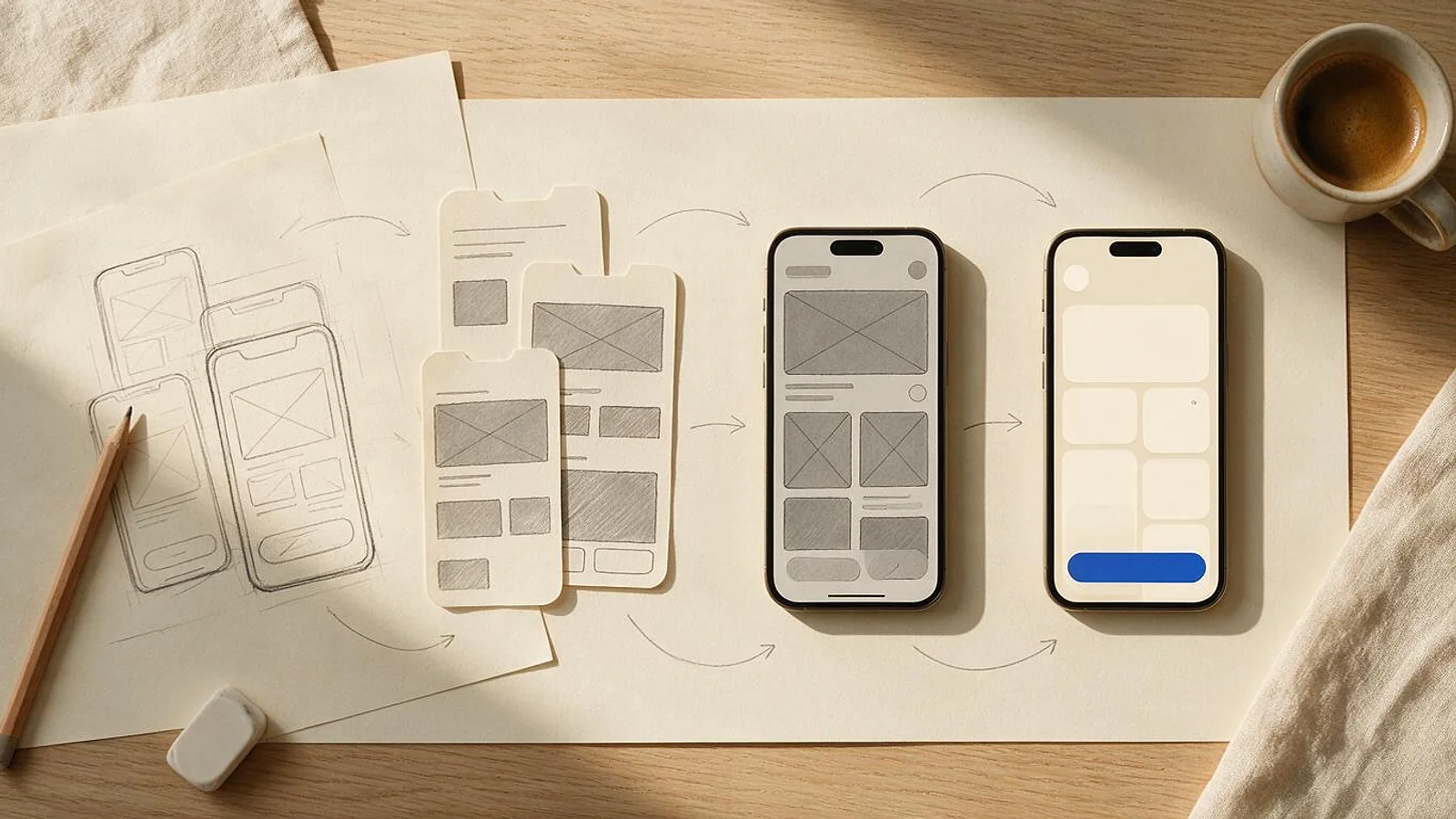
Design starts with flows and wireframes and ends with a clickable prototype and a set of reusable components.
- Map user flows for every key task, including errors and empty states.
- Wireframe screens, then test the riskiest flows with five or so real users.
- Apply your brand into a design system: colours, type, components and states.
- Follow each platform's conventions where users expect them (navigation, gestures, system dialogs).
- Design for accessibility from the start: text sizes, contrast and screen-reader labels.
Deliverables: a prototype the whole team can click through and a component library developers can build from. See our UI/UX design service for this stage.
3. Architecture: native or cross-platform, and what else?
The biggest decision is native or cross-platform. Native apps (Swift for iOS, Kotlin for Android) give the deepest platform access and the most polished feel, but mean two codebases. Cross-platform frameworks such as Flutter and React Native share most code across both platforms, which usually means faster delivery for most business apps. Our comparisons of Flutter vs React Native and React Native vs native go into detail.
Also decide:
- The back end and APIs, for example Node.js or Python, and where they're hosted.
- The data model, offline behaviour and sync.
- Authentication, roles and how accounts are deleted (Apple requires it; see stage 6).
- Analytics, crash reporting and feature flags.
- Security: storage of tokens and personal data, encryption and API protection.
Gate: an architecture document the team agrees on, with known risks and how you'll handle them.
4. Development: how is the app built?
Development runs in short sprints, usually one or two weeks, each ending with a demo of working software.
- Set up CI/CD early so every change is built, tested and delivered to testers automatically.
- Build the back end and app in vertical slices: one complete feature at a time, not all screens first.
- Distribute test builds through TestFlight on iOS and Play Console testing tracks on Android.
- Build against current platform SDKs from day one, including Google Play's target API level.
- Keep an admin panel in scope; support teams need it from launch.
Gate: feature-complete for the release scope, with demos accepted by the product owner.
5. Testing and QA: is it ready to ship?
Quality is built in each sprint, then confirmed in a release-testing phase.
- Automated unit and integration tests for business logic and APIs.
- Manual testing on a device matrix that matches your users: older and newer phones, small and large screens, current and previous OS versions.
- Network conditions: slow connections, offline mode and interruptions such as calls.
- Accessibility checks with VoiceOver and TalkBack.
- Security checks, and performance checks on startup time, memory and battery.
- Beta testing with real users through TestFlight and Play testing tracks.
On Google Play, testing is also a requirement, not just good practice. Personal developer accounts created after 13 November 2023 must run a closed test with "a minimum of 12 testers who have been opted in continuously for at least 14 days" before publishing to production (Play Console Help). Start that test early enough to overlap with release testing.
Gate: a release candidate with no open critical or high-severity defects.
6. Store submission: what do Apple and Google check?
Both stores review apps before they go live, and both have rules that cause rejections if you meet them late.
Apple App Store. Apple's App Review Guidelines are the reference. Three rules catch many first submissions:
- 2.1(a): "We will reject incomplete app bundles and binaries that crash or exhibit obvious technical problems."
- 4.2: "Your app should include features, content, and UI that elevate it beyond a repackaged website."
- 5.1.1(v): "If your app supports account creation, you must also offer account deletion within the app."
Review is usually quick. Apple says it is "typically reviewing at least 50% of submissions in less than 24 hours and 90% in less than 48 hours" (Apple). Allow time for a resubmission anyway.
Google Play. Two rules matter most in 2026:
- Target API level: "New apps and app updates must target Android 16 (API level 36) or higher", from 31 August 2026, with extensions available to 1 November 2026 (Android Developers).
- Closed testing for new personal accounts, as described in stage 5.
Google says reviews can take "up to seven days or longer in exceptional cases" (Play Console Help).
Store-readiness checklist
- Developer accounts set up and verified for both stores.
- App name, description, screenshots and preview videos that match what the app actually does.
- Privacy policy URL, privacy labels on the App Store and Data safety form on Google Play.
- A working demo account and notes for reviewers if the app needs a login.
- In-app account deletion if users can create accounts.
- Current target API level for Android; current Xcode and SDK for iOS.
- Closed test completed, if your Google Play account requires it.
- Crash-free on the device matrix, with crash reporting switched on.
7. Launch: what happens after release?
Launch is the start of the product's life, not the end of the project.
- Use staged rollouts on Google Play and phased releases on the App Store to limit the impact of any problem.
- Watch crash rates, performance, reviews and support tickets daily in the first weeks.
- Measure the success metrics agreed in discovery, and plan the next release from real usage.
- Update for new iOS and Android versions every year, and keep the target API level current.
- Keep dependencies and SDKs patched for security.
Our mobile app maintenance service covers updates, monitoring and fixes after launch, with response times agreed in your written scope.
What do you need to provide at each stage?
| Stage | What the team needs from you |
|---|---|
| Discovery | A decision-maker, business goals, access to users or customer data, any existing designs or systems |
| Design | Brand assets, quick feedback on flows and prototypes, help recruiting test users |
| Architecture | API documentation and credentials for existing systems, security and data requirements |
| Development | Attendance at sprint demos, answers to product questions within agreed times, test accounts for integrations |
| Testing | Business testers for acceptance, real devices if your users have specialist hardware |
| Store submission | Developer accounts in your company's name, store copy, screenshots approval, privacy policy |
| Launch | A support contact, a plan for user feedback and a budget for the next release |
Owning the developer accounts yourself matters: the app, its reviews and its revenue stay with your company even if you change development partners later.
What do the App Store and Google Play charge in 2026?
| Fee | Apple App Store | Google Play |
|---|---|---|
| Developer account | "$99 annual membership" (Apple) | "US$25 one-time registration fee" (Google) |
| Reduced commission tier | Small Business Program: "reduced commission rate of 15% on paid apps and Apple In-App Purchases" for developers with up to $1 million in proceeds (Apple) | Existing structure: "15% for the first $1M (USD) revenue earned by the developer each year" (Google) |
| Above the threshold | Standard commission rate applies | Existing structure: 30% on earnings above $1M; auto-renewing subscriptions at 15% |
| 2026 changes | — | A new fee structure rolled out on 30 June 2026 for the EEA, UK and US (and 30 September 2026 for Australia and Japan), with fees that depend on whether an install is new or existing; check Google's page for the current rates |
Read on 23 October 2026. Fees change, and both stores have regional programmes and exceptions, so check the official pages before you set prices.
What about Android app development cost?
The process above applies to Android apps whether you build natively in Kotlin or cross-platform. Cost depends on scope, integrations and the range of devices you support, not on the platform alone; Android's wider device range usually means more testing time. Get an estimate from a scoped feature list rather than a per-platform price.
What changes for connected-device and wearable apps?
Apps that talk to hardware add stages of their own: Bluetooth pairing and reconnection, firmware compatibility, background data sync, battery limits and testing with real devices in real conditions. The same seven stages apply, but discovery must include the device protocols and testing needs a hardware lab. Our IoT app development page covers connected-device and wearable apps.
How can Elgrith help?
Elgrith has delivered 1,000+ projects for 250+ clients since 2015, from our New Delhi headquarters and client centers in New York, London and Shanghai. Our app development team runs all seven stages, from discovery to store launch and maintenance, with iOS, Flutter and React Native specialists. You get a fixed written quote and a stage-by-stage plan, and you own the code. Book a call or start a project.
FAQ
Frequently asked questions
Sources 9 linked
- 01Apple — App Review Guidelines (read 23 Oct 2026)developer.apple.com(opens in a new tab)
- 02Apple Developer — App Reviewdeveloper.apple.com(opens in a new tab)
- 03Google Play Console Help — App testing requirements for new personal developer accountssupport.google.com(opens in a new tab)
- 04Android Developers — Target API level requirements for Google Play (updated 16 Oct 2026)developer.android.com(opens in a new tab)
- 05Google Play Console Help — Publish your appsupport.google.com(opens in a new tab)
- 06Apple — App Store Small Business Programdeveloper.apple.com(opens in a new tab)
- 07Google Play Console Help — Service fees (read 23 Oct 2026)support.google.com(opens in a new tab)
- 08Apple Developer Program — Membershipdeveloper.apple.com(opens in a new tab)
- 09Google Play Console Help — Register for a Google Play developer accountsupport.google.com(opens in a new tab)