01
Item master
Products, variants, units of measure, GTINs and your own SKUs, with supplier codes and pack sizes in one place.
FIG 01 · Inventory Management Software
Multi-location stock, barcodes, lot and serial tracking, reorder rules and POS for retailers, wholesalers, D2C brands and small manufacturers outgrowing spreadsheets.
See how it works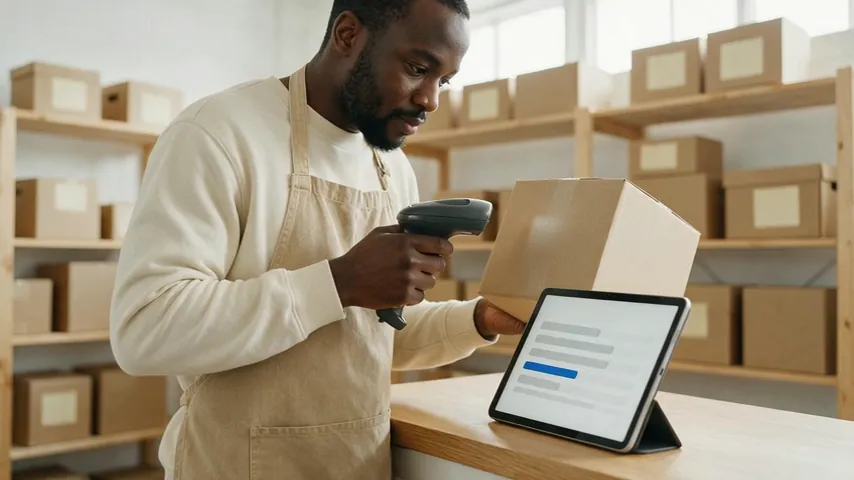
FIG 02 · Quick answer
Custom inventory management software tracks what you hold, where it is and when to reorder, built around your own products and processes. Elgrith develops inventory systems with multi-location stock, barcode and GTIN scanning, lot and serial tracking and reorder rules, synced with Shopify, Square or Lightspeed POS and your accounting or ERP.
FIG 03 · Why it matters
The numbers behind stock visibility, from the US Census Bureau’s August 2026 inventories release (15 Oct 2026) and FRED, read on 23 Oct 2026. Next Census release: 17 Nov 2026.
01
$2,818.8B
The Census Bureau put US total business inventories at $2,818.8 billion at the end of August 2026, up 0.4% on the month.
Source: US Census Bureau, Manufacturing and Trade Inventories and Sales (15 Oct 2026)(opens in a new tab)02
1.33
US businesses held 1.33 months of stock for each month of sales in August 2026. The Census Bureau notes the August 2025 ratio was 1.40.
Source: US Census Bureau, Manufacturing and Trade Inventories and Sales (15 Oct 2026)(opens in a new tab)03
1.36
Retailers held 1.36 months of stock per month of sales in August 2026, by the Census data series on FRED. Every tenth of a point is cash tied up on shelves.
Source: FRED, retailers’ inventories to sales ratio (Census data, updated 15 Oct 2026)(opens in a new tab)FIG 04 · Decide
Custom isn’t always the answer. Off-the-shelf tools like inFlow, Cin7 or Zoho Inventory, or an ERP like Odoo, are right for many businesses. This is how we compare the routes with you, before any quote.
| Buy (inFlow, Cin7, Zoho Inventory or similar) | Extend an ERP (Odoo or similar) | Build custom | |
|---|---|---|---|
| Best for | Standard stock flows and one or two sales channels | Businesses already running that ERP for finance | Unusual products, rules or channels that tools fight |
| Fit to your process | You adapt to the product | Good, within the ERP’s data model | Built around your stock and your people |
| Ongoing cost shape | Subscription per user, location or order volume | ERP licence plus customisation | Build cost, then hosting and support you control |
| Code and data | The vendor’s product; your data under their terms | Your customisations; the ERP stays the vendor’s | Yours |
| Main risk | Workarounds in spreadsheets when you outgrow it | Upgrades breaking heavy customisation | Rebuilding what a tool already does well |
We often extend instead of replace: a custom app for receiving, counts or POS that syncs to the tool or ERP you already pay for.
Comparing subscription prices? Inventory software cost guideFIG 05 · What you get
Inventory management software development starts with one item master and one stock ledger. Every count, sale, transfer and return is a movement against it, so you can always say how a number got there.

01
02
03
04
05
06
07
08
Deliverables
11
FIG 06 · Integrations
Inventory software is only as good as its sync. We integrate through each platform’s published APIs, using your accounts and access, and pin the API version we build against. We claim no partner status with Shopify, Square, Lightspeed or any other vendor.
FIG 07 · Identifiers
Get identifiers right and every sync gets easier. GS1 US says GTINs are issued only by GS1 and are 8, 12, 13 or 14 digits long. Your SKU is yours. We store both. We claim no GS1 membership on your behalf: you license your own company prefix.
04principles
The GTIN identifies the product to the world and marketplaces; your SKU is your internal code. Both live on the item master.
UPC-A and EAN-13 on retail items, GS1-128 on cartons and pallets with lot and expiry data in the barcode.
RFID tags for fast counts of whole shelves or cartons, where item value justifies the tag cost.
Shelf, item and carton labels printed from the system, so codes never get typed by hand.
FIG 08 · Point of sale
POS software development is mostly about the bad moments: the internet drops, a card is declined, a till is double-tapped. We design for those first, and keep card data out of your systems so PCI DSS scope stays small.
06principles
Sales keep going when the connection drops, and sync stock and payments in order when it returns.
Every sale carries an idempotency key, so a retry never charges twice or deducts stock twice.
Receipt printers, scanners, cash drawers and card readers from your payment provider, chosen with you per store.
Hosted payment fields, tokenisation or P2PE readers so card data never touches your POS. Your acquirer confirms your SAQ type.
End-of-day sales post to your books. How the main options compare in 2026.
Xero vs QuickBooks vs SageFIG 09 · Mobile
Counts, receiving and transfers happen on the shop floor, not at a desk. We build scanning apps for phones and rugged handhelds that keep working offline.
05principles
Fast barcode scanning on everyday phones for small teams and stores.
Apps for handhelds with built-in scanners, for high-volume counts and receiving.
Count a stockroom with no signal, then sync and reconcile when back online.
Native or cross-platform, chosen on scanner hardware and offline needs.
App developmentWhat drives the cost of custom software in 2026, item by item.
Custom software cost guideFIG 10 · Process · 6 steps
A free call, a fixed written quote, then sprints with a demo every week: discovery, item and location data cleaned up, a pilot in one store or stockroom, and rollout. You own the code, the data and the IP.
Tell us what you sell, where you hold it, which channels you sell through and where stock numbers go wrong today.
Your items, locations, stock flows, channels and integrations mapped, including the spreadsheets people really use.
One item master and stock ledger, plus a written scope and a fixed quote, before any build starts.
One store, stockroom or channel built in sprints, with a demo every week and test counts on real stock.
More locations and channels, data migrated from old tools, staff trained and a planned cut-over count.
New channels, API version upgrades and new rules, covered under terms agreed in your written scope.
FIG 11 · What you get
Written into your fixed quote, so you know exactly what you are paying for before work starts.
11items
FIG 12 · Tech & tools
Proven, well-supported tools, chosen for your project and set up in accounts your business owns.
FIG 13 · Who it’s for
Retailers, wholesalers, D2C brands and small manufacturers in the US and UK, outgrowing spreadsheets or off-the-shelf tools.
4 audiences
Retailers
Multi-store retailers who need stock by location, transfers between shops and a POS that never oversells online.
Wholesalers
Wholesalers and distributors handling pack sizes, GS1-128 cartons, back orders and customer-specific stock allocation.
D2C brands
Direct-to-consumer brands selling on Shopify and marketplaces, with stock at a 3PL and returns coming back.
Small manufacturers
Makers who need raw materials, work in progress and finished goods by lot. Production tracking is our manufacturing software service.
FIG 14 · Working with us from the USA and UK
Every project gets a point of contact in New York or London and an engineering team in New Delhi. Here is how today’s working days line up, live.
New York
North America
--:--ET
London
UK & Europe
--:--UK
Fixed-scope project
A written scope, one fixed price and a dated plan. Suits websites, apps and MVPs.
Dedicated team
Designers and engineers on your roadmap every month, billed monthly.
White label
For US and UK agencies: our work, your brand, unbranded deliverables.
Calls on ET or UK hours
FIG 15 · Rules and dates
The rules and versions we design inventory and POS software against, checked on 23 Oct 2026 at their publishers’ own pages.
| Rule or version | Who it affects | Date | What it means for your software |
|---|---|---|---|
| PCI DSS v4.0.1 | Any business that stores, processes or transmits card data | Published Jun 2024; v4.0 retired 31 Dec 2024 | The current version of the card data security standard; design to keep card data out of scope |
| PCI DSS future-dated requirements | The same businesses | Effective after 31 Mar 2025 (now in force) | Requirements that were best practice until then are now assessed |
| GS1 GTIN | Brands selling through retailers and marketplaces | Current GS1 rule | GTINs come only from GS1, at 8, 12, 13 or 14 digits; store them beside your SKU |
| Shopify Admin API 2026-10 | Stores syncing stock with Shopify | Released 1 Oct 2026; latest stable | Build against a pinned version and plan an upgrade each quarter |
| Square API 2026-09-16 | Businesses syncing stock with Square | Latest listed version | Pin the version; test changes before upgrading |
General guidance from public sources, not legal advice; your counsel confirms what applies to you. Sources: PCI Security Standards Council blog (11 Jun 2024 and 25 Feb 2022), GS1 US, Shopify’s API versioning page and Square’s API changelog. We claim no PCI certification and no GS1 membership.
Making things, not just selling them? Manufacturing softwareFAQ
Straight answers about Inventory Management Software Development with Elgrith.
We don’t publish prices, because cost depends on scope: how many locations and channels, lot or serial tracking, which integrations (Shopify, POS, accounting, ERP), whether you need a mobile scanning app or a custom POS, and how much data must move. After a free call you get a written scope and a fixed quote. Our cost guide lists third-party subscription prices for comparison.
FIG 16 · Related
Free 30-minute call
Tell us where stock numbers go wrong today. After a free call you get a written scope and a fixed quote, starting with one location or one channel.
Pick a day. You'll choose a time in your own time zone on the next step.